 HW Planner

Homework planner for iPhone & iPad
Homework.
Off your mind.
Keep assignments, due dates, and study time together. Open your planner and see where to start.
Download on theApp StoreFree to use. Optional Pro for school sync and more.
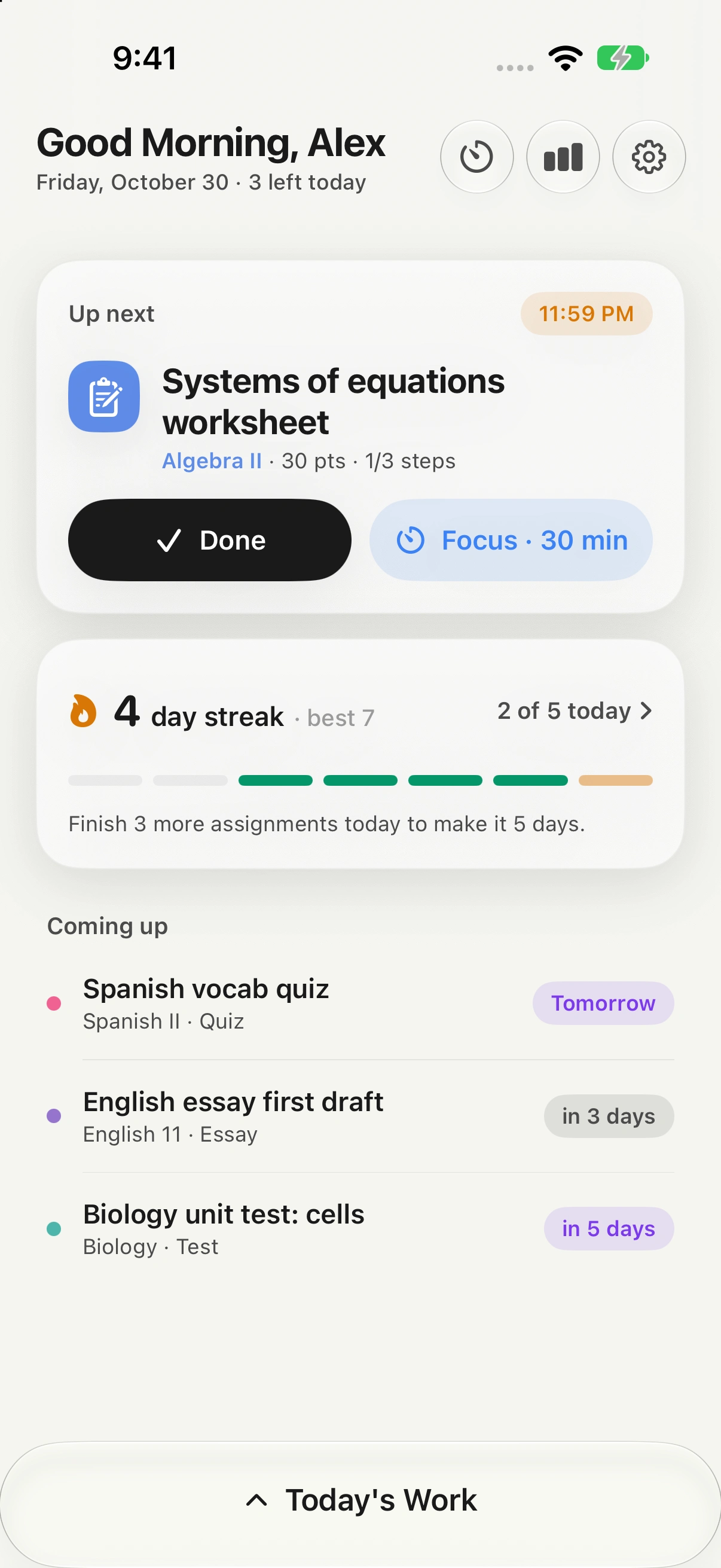
Less keeping track. More getting through.
A school day has a lot of parts.
Your planner brings them together.
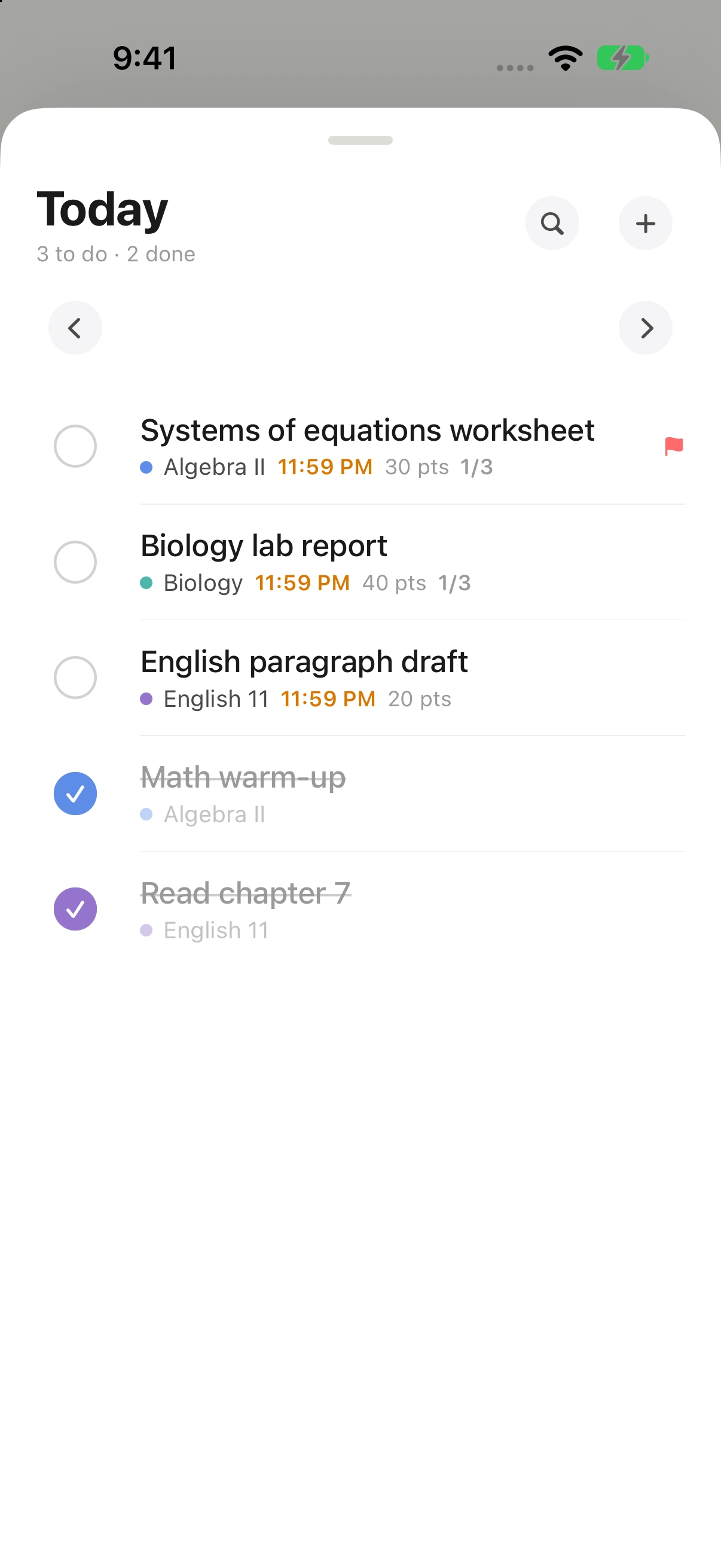
The everyday essentials are free. Add your work, remember due dates, and use the focus timer.
What’s in Pro?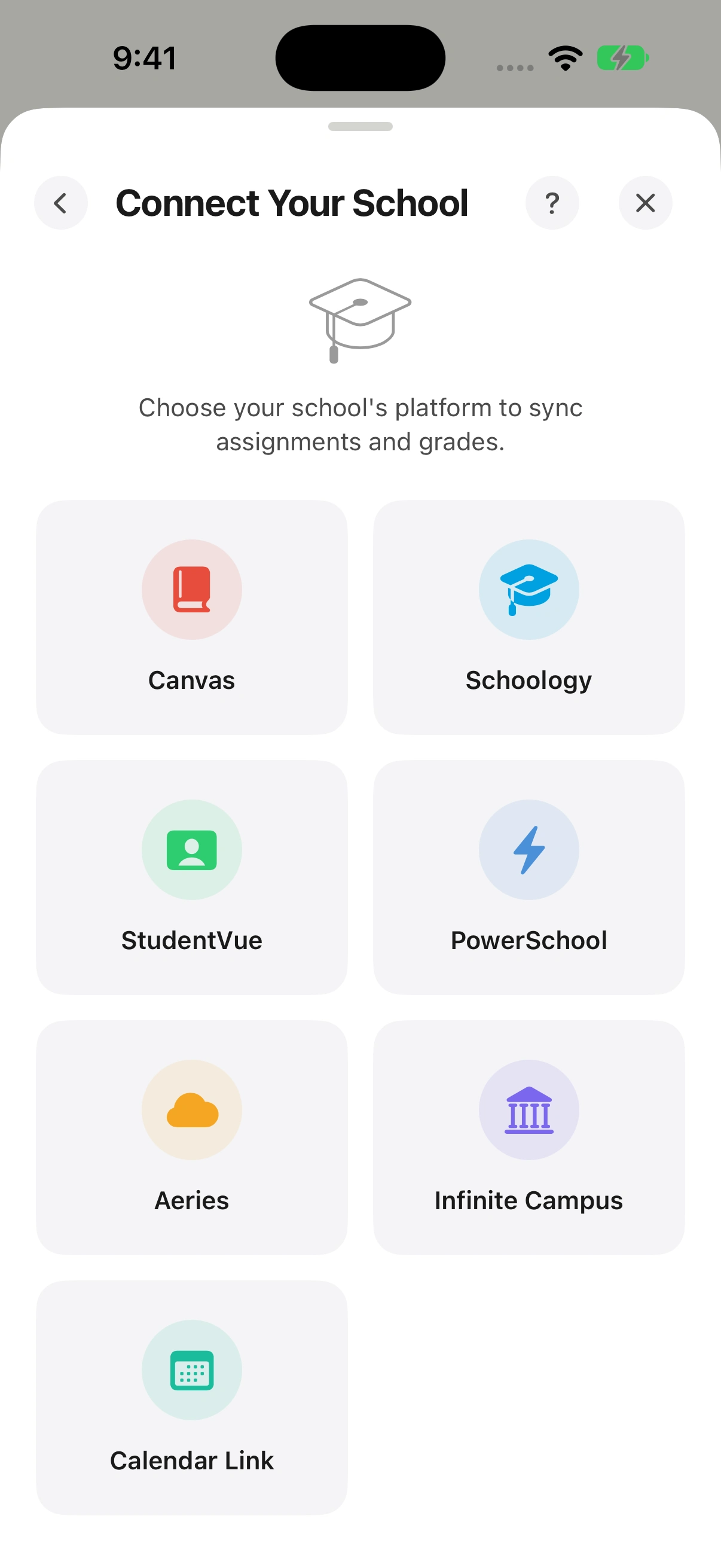
Your school, connected. Pro
Same classes.
One place.
Bring assignments and grades from your school platform into your planner. Less copying. A clearer view of what’s due.
- Canvas
- Schoology
- StudentVue
- PowerSchool
- Aeries
- Infinite Campus
Calendar links are supported, too.
Available connections depend on your school.
From your school to your to-do list.
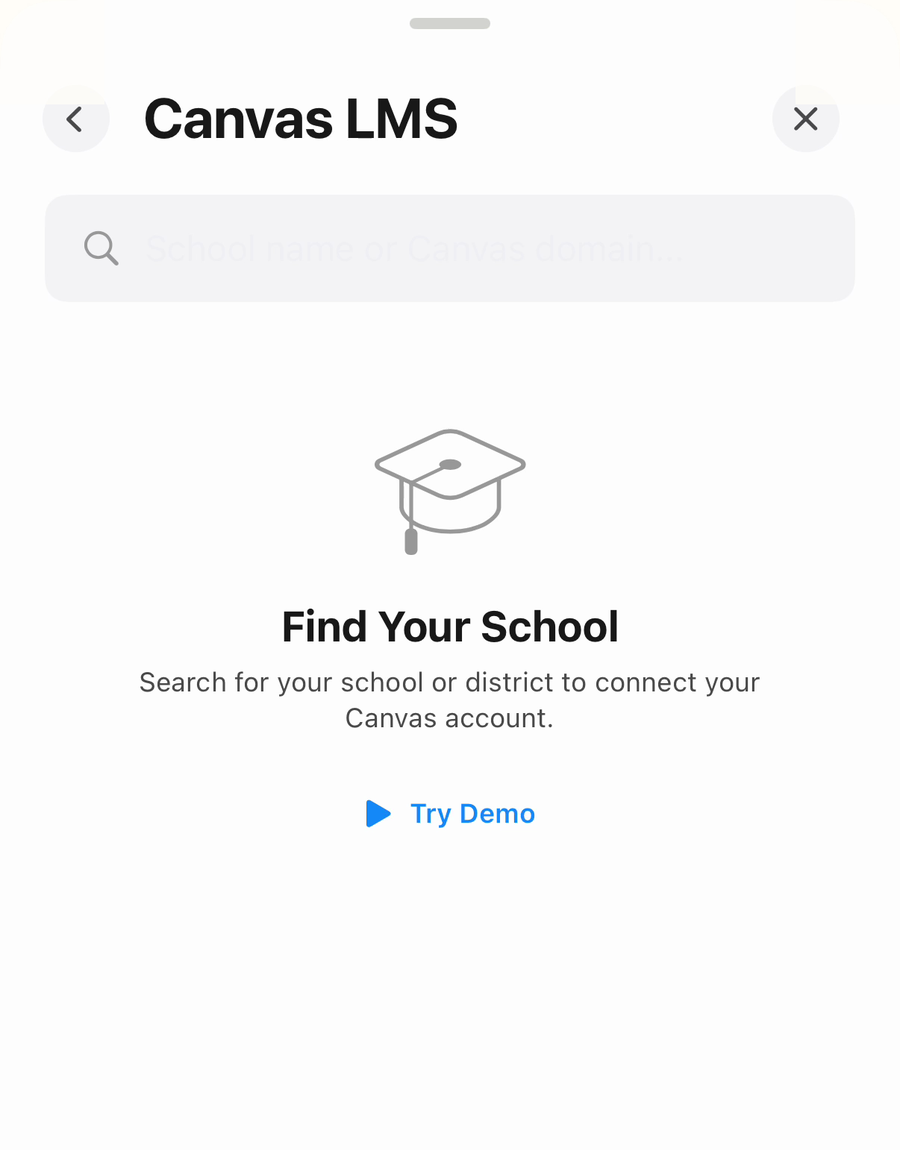
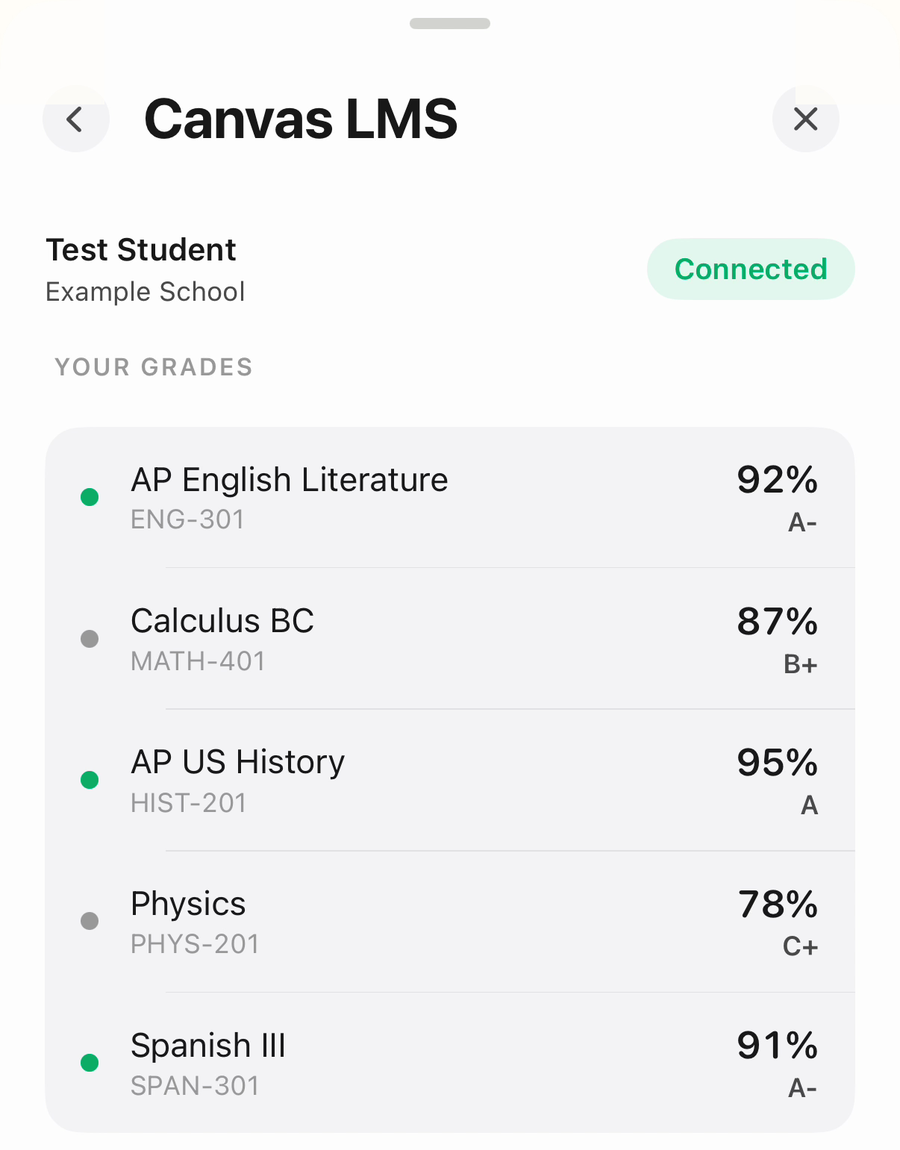
Here’s how connecting with Canvas looks.
 01
Find your school.
Search for your school or district. You can try the demo first.
 02
Sign in once.
Connect your account to bring your classes and grades together.
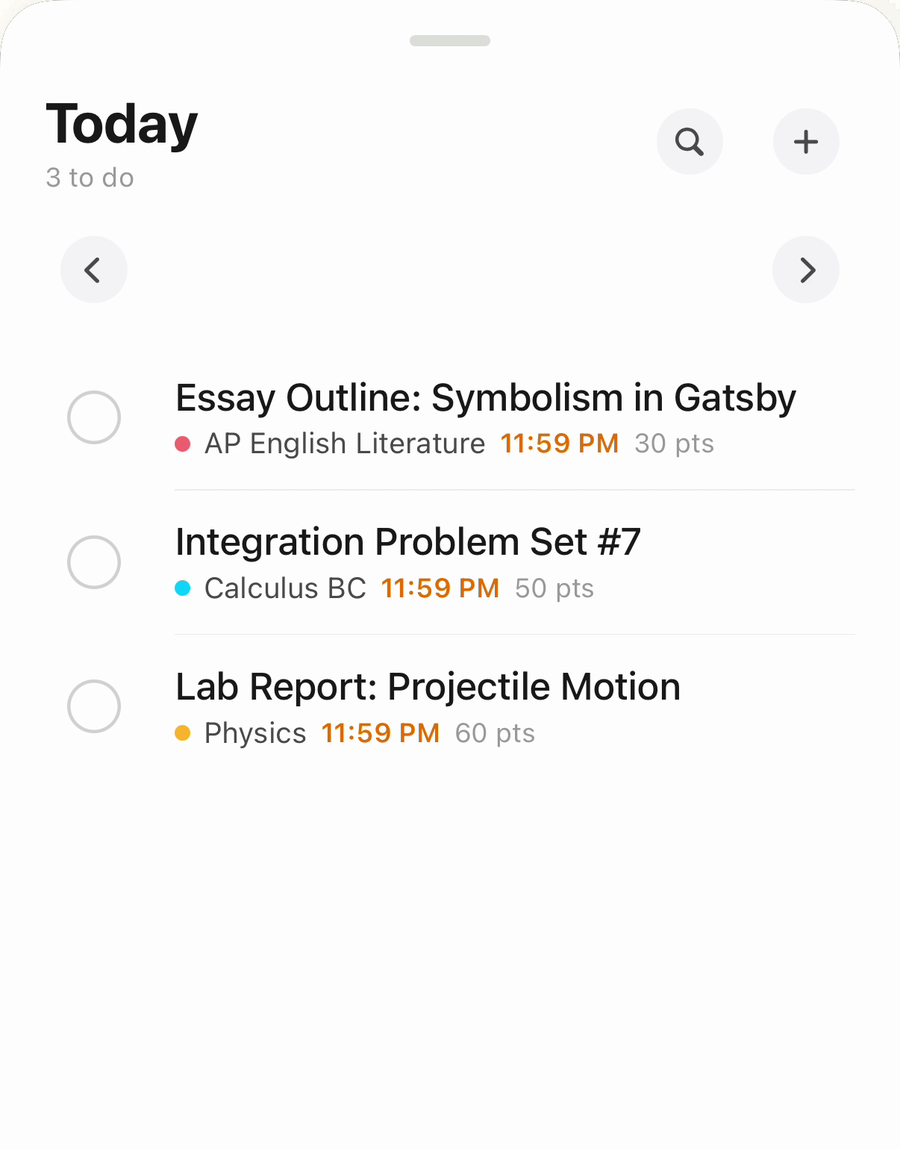 03
Know what’s next.
Your assignments arrive with their class, due date, and details.
Example screens use demo school data. Available connections depend on your school.
A planner that knows the assignment.
From the first bell
to the last checkmark.
Schoolwork isn’t just a list. It’s six different classes, a quiz next week, and the worksheet you still need to finish tonight.
HW Planner keeps the details together, so opening your planner gives you a place to start. At your desk on iPad. Between classes on iPhone.
Meet HW PlannerWhat can I do for free?
Add assignments and classes, track due dates, get due-date alerts, and use the focus timer. HW Planner is free to download, with an optional Pro subscription.
What does Pro include?
Pro adds school sync, the grades dashboard, scan-to-steps, alarms, the Home Screen widget, and Live Activities. Subscription options and prices are shown in the app before you purchase.
Will it work with my school?
Connections are available for Canvas, Schoology, StudentVue, PowerSchool, Aeries, Infinite Campus, and calendar feeds. Available connections and the information you can import depend on your school’s setup. You can always add assignments by hand.
How is my school login handled?
School credentials are stored on your device using Apple’s Keychain and are used to connect to your school. Read our Privacy Policy for details about account data, school connections, and analytics.
Can I use it on Android or the web?
HW Planner is currently an iPhone and iPad app. Your planner lives on your Apple device.
The rest of your day is waiting.
Make room
for after school.
For iPhone & iPad. Free with optional Pro.